HomeBlogNon classéProduct Customization on B2B Marketplaces: Print & POS
Product Customization on B2B Marketplaces: Print & POS
Among the most requested features on network-based B2B marketplaces, product customization is one of the […]
Product Customization on B2B Marketplaces: Print & POS
- Arnaud
- 6 minutes to read
Among the most requested features on network-based B2B marketplaces, product customization is one of the most poorly handled by standard platforms. Yet the need is massive: a network of 800 agencies orders roll-up banners with each agency’s name. A sports federation prints jerseys with the club’s logo. A franchise network orders backpacks with embroidery customized for each point of sale.
Technically, these use cases all rely on the same feature: the ability for the buyer to specify elements unique to their entity (logo, text, color, address) that will be applied to the product before shipping. But this seemingly simple feature hides an operational complexity that most marketplaces handle poorly, or not at all.
This article explains why product customization is strategic in network-based B2B, how to structure it functionally, and which pitfalls to avoid.
1. Why it's strategic for network-based B2B
It’s a recurring, high-volume need
In a network of 500 points of sale, if each location orders an average of 50 customized products per year, that amounts to 25,000 unique references annually. Without a platform, this is managed through email with manual re-entry, and all the errors that come with it. Switching to a digitalized purchasing center makes it possible to structure this flow and eliminate re-entry.
It sets you apart from local alternatives
Without a centralized platform, each location orders from a local provider. The result: inconsistent branding across the entire network, variable quality, and high costs. A purchasing center with customization solves all three problems at once. This is exactly the kind of added value that justifies creating a purchasing center for a franchise network or a federation.
It’s a powerful retention lever
Once a point of sale gets used to ordering its customized materials through the platform, the switching cost is high: saved templates, order history, established workflows. Churn on this type of feature is very low. It’s one of the most effective arguments for accelerating marketplace adoption among members, as shown in our client case studies.
It attracts specialized suppliers
Printers, embroiderers, signage specialists and branded merchandise companies are often small businesses that lack the resources to develop their own platform. Your marketplace provides them with a qualified ordering channel. If you’re looking for concrete arguments to bring them on board, our guide on how to convince your suppliers to join your purchasing center details the most effective levers.
2. The 5 typical use cases
Case 1: simple text customization
The client enters free text (agency name, address, phone number, promotional offer) that appears on the product at a predefined location. Examples: business cards, roll-up banners, signage, large-format banners.
Case 2: logo customization
The client uploads their logo (or uses a pre-registered logo from their library) which is applied to the product. Examples: branded merchandise, textiles, communication materials.
Case 3: template-based customization
The client selects a template from several options, then fills in the editable areas (text, logo, accent color). Examples: flyers, posters, printed mailings.
Case 4: full configurator
The client configures a complex product with multiple dimensions (size, material, color, marking, quantity). Examples: event POS displays, exhibition stands, store furniture.
Case 5: proof-based customization with approval
The client places an order, the supplier produces a proof (also known as a press proof or “bon à tirer”), and the client approves before manufacturing begins. Examples: high-volume print runs, premium-quality materials.
These five cases cover virtually all needs encountered in franchise networks, sports federations and professional associations. On a well-designed platform, each product page can be configured to activate the appropriate type of customization based on its category.
Ensure nothing is overlooked in your project specifications
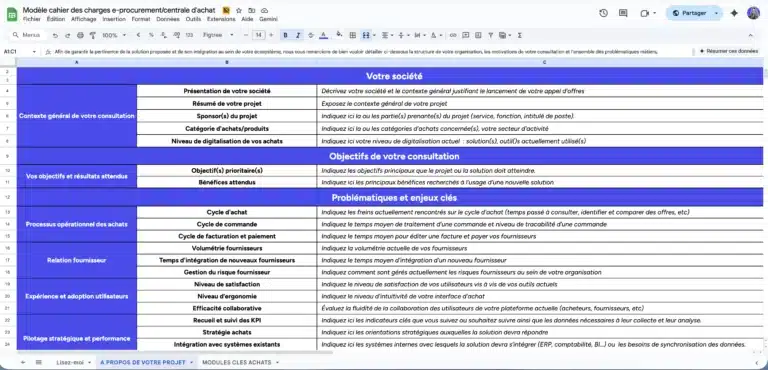
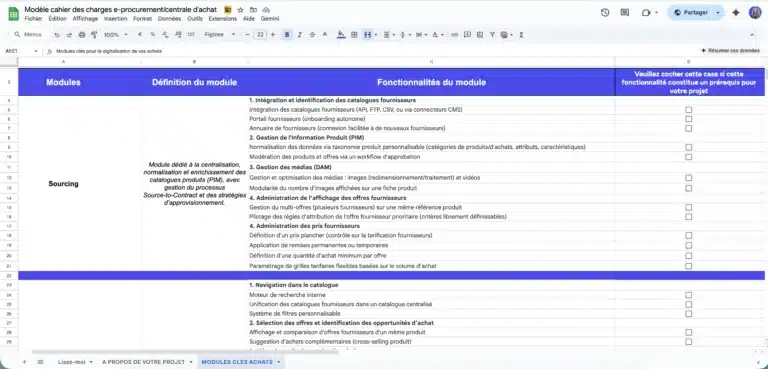
A ready-to-use template to quickly frame your e-procurement or purchasing group project, compare market solutions, and secure your vendor consultation process.
Comprehensive model used in B2C, B2B or C2C projects and ready to adapt.
3. Functional architecture
To deliver a smooth and reliable customization experience, the platform must integrate six components. Each one can be enabled or disabled depending on the product type and the network’s maturity level.
Component 1: client asset library
Each entity has a personal space where it stores its logos in different formats (four-color, monochrome, dark background, light background), its approved templates (consistent with brand guidelines), and its recurring text entries (addresses, contact information).
The buyer draws from this library when placing an order, without needing to re-upload files every time. This library fits naturally into the personalized B2B catalog approach specific to B2B: each buyer sees an environment tailored to their entity.
Component 2: customization interface (configurator)
Depending on the use case, the interface can take several forms. A simple form works for free text (text field + preview). An uploader is dedicated to logos (with format and resolution checks). A template editor handles templates with editable zones. And an advanced configurator (3D, WYSIWYG) serves complex products.
The key is to offer the right level of configurator for each product. A roll-up banner does not require the same tool as a modular exhibition stand. The Origami platform also supports quote-based offers for products that require an exchange before validation, which covers advanced configurator use cases.
Component 3: real-time preview
This is critical for conversion. The buyer must see the result before confirming. Three levels are available.
A schematic preview provides a basic mockup of the text or logo on the product. A photo-realistic preview composites the logo onto a product photo. A technical mockup displays dimensions, trim marks and safety zones (essential for printers).
The more accurate the preview, the fewer disputes arise after manufacturing. It’s an investment that pays for itself very quickly through reduced returns and credit notes.
Component 4: proof approval workflow (optional depending on product)
For high-stakes products, the proof approval workflow follows four steps. The client places an order with their customized elements. The supplier produces a digital proof (PDF with dimensions, annotated critical zones). The client approves or requests modifications. After approval, production begins.
This workflow relies on the integrated three-way messaging system built into the platform: the member, the supplier and the operator can exchange messages in a thread linked to the order, with a traceable history.
Component 5: technical file management
Printers and embroiderers need files in specific formats (PDF/X, AI, EPS) with particular specifications: trim marks, bleed areas, layers for foiling or varnish. The platform must either accept these formats for upload or automatically generate the technical files from the elements provided by the client.
This point is often underestimated during the scoping phase. It should be addressed from the supplier onboarding stage, as each printer has its own file constraints.
Component 6: history and duplication
The buyer can reuse a previous order to create a variant: same design, new quantity; same template, new text. This duplication feature significantly reduces ordering time for recurring purchases. And it integrates with the recurring order features already available on Origami Marketplace.
4. Pitfalls to avoid
Pitfall 1: overly complex configurator interface
If configuration takes more than 3 minutes, abandonment skyrockets. Finding the balance between flexibility and simplicity is essential. Prioritize pre-approved templates over total freedom. A 4-field form will always convert better than a full WYSIWYG editor that 80% of buyers don’t know how to use.
Pitfall 2: no upstream quality control
A buyer who uploads a 72 dpi logo for large-format printing will receive a pixelated product. The platform must detect and block issues upstream: minimum 300 dpi, resolution verification relative to print size, color alerts. These controls should be configurable by the supplier or the operator and must be active from the moment the order is entered.
Pitfall 3: inconsistent color management
RGB on screen does not reproduce exactly as CMYK in print. Either the platform converts and warns the buyer, or it displays directly in CMYK. Without this, color discrepancies are guaranteed and become a source of disputes. For networks that are strict about their brand guidelines (and that’s the case for most franchises), this point is non-negotiable.
Pitfall 4: slow proof approval workflow
If the proof takes 5 days to produce and then 3 days to approve, the total lead time becomes unacceptable for an urgent order. SLAs must be imposed on suppliers: proof within 24 hours, automatic reminder to the client within 48 hours. The platform must allow these thresholds to be configured and send reminder notifications automatically.
Pitfall 5: no management of approved templates
Without a library of templates pre-approved by network headquarters, buyers will stray from brand guidelines. The result: visual inconsistency, which is exactly what you were trying to avoid. Network headquarters must be able to publish, modify and remove templates without technical intervention. This is a typical use case for personalized B2B catalog management.
5. Pricing models for customization
The choice of pricing model directly impacts conversion and buyer satisfaction. Three options are available.
Model A: single price with customization included
The displayed price includes customization. This is the simplest model for the buyer to understand. But it can frustrate clients who don’t customize, as they’re paying for a service they don’t use. This model works well when customization is systematic (business cards, signage).
Model B: base price + customization option
The base product price is displayed, with a surcharge added for each customization (text: +€1, logo: +€3, proof: +€10). This is the fairest model, but it adds friction to the buying journey and can discourage small orders. It works well for products where customization is optional (branded merchandise, textiles).
Model C: pricing by customization tier
Several tiers (basic, standard, premium) with a price per tier. This is the best compromise between clarity and precision. The buyer chooses their customization level and the price adjusts accordingly. This model is ideal for printers who offer different finishes (matte, glossy, spot varnish).
The pricing model must be consistent with the overall business model of your marketplace: transaction commission, supplier subscription, or hybrid. Customization can become an additional margin source for the operator if the model is properly calibrated.
6. The role of the network headquarters
In a network, the headquarters (franchisor, federation, head office) plays a critical role in product customization. This role is often more important than the feature itself.
Brand guardian
Network headquarters approves the templates available to points of sale. Only approved templates are offered, preventing brand drift. It follows the same logic as catalog control in a purchasing center or referencing center: headquarters defines the framework, members operate within it.
Supplier negotiation
Preferential rates are negotiated at the network level. The consolidated volume of 500 points of sale provides a powerful negotiating lever. A printer who knows they’ll receive 25,000 orders per year will accept unit prices far below what they’d charge an individual client.
Quality monitoring
Network headquarters organizes incident escalation, audits delivered quality, and can impose sanctions on suppliers in cases of repeated issues. This quality monitoring relies on the same supplier reporting and performance mechanisms as for standard products: cancellation rate, delivery timelines, average rating, dispute rate.
Brand guidelines management
Network headquarters updates templates, rolls out new visual identities (campaigns, seasons, events) and retires outdated visuals. This dynamic brand management is essential to keep the network visually consistent, even when points of sale order independently.
Conclusion
Product customization is a powerful commercial entry point for networks. When well designed, it creates lasting platform stickiness: assets are stored, templates are saved, order histories make duplication easy. The more a member uses customization, the higher the switching cost.
For operators of purchasing centers and network marketplaces, it’s also a differentiator against traditional e-procurement solutions that don’t handle this type of need. And it’s a compelling argument for attracting specialized suppliers looking for a structured digital channel.
The most important piece of advice: start simple (text + logo), validate adoption, then scale up to the advanced configurator and proof approval workflow. As with any marketplace project, a progressive approach is the key to success.
This article is part of our series on purchasing center digitalization. To learn more, read our complete digitalization guide, our client case studies, and our dedicated marketplace features page.
Do you want to build an agile and future-proof platform?
Let’s discuss it. our expertise extends beyond the tool as we help you structure your project with the right methodology to guarantee its success.

FAQ
For basic functionality (text + simple logo): most modern marketplaces include it natively, or expect €10,000 to €30,000 in custom development. For a complex configurator with proof approval: between €40,000 and €100,000 depending on the level of sophistication. On a SaaS solution like Origami Marketplace, many of these building blocks are already available, which significantly reduces the initial investment.
Yes, via API. This is relevant if the need is highly technical or specialized. Origami’s headless architecture allows you to connect third-party tools while maintaining a consistent buying experience.
Printers, embroiderers, signage companies, branded merchandise providers, custom textile suppliers. These suppliers are often delighted to gain a qualified digital ordering channel, as they still do a lot of business through email and paper order forms. Getting them onto your platform is generally easier than with generalist suppliers.
Yes, with explicit validation (click on “I approve” with a timestamp). This validation must be integrated into your marketplace’s terms and conditions. A proof approved online carries the same legal weight as a signed paper proof, provided the consent process is clear and traceable.
Between 1 and 4 months depending on complexity and existing infrastructure. For a network starting from scratch, the customization module fits naturally into the deployment roadmap of the purchasing center, typically between V1 and V1.5.
It varies by sector. A franchise network can achieve 60 to 80% conversion on customized products, as points of sale are captive on their recurring needs (signage, business cards, seasonal POS displays). In non-captive B2B, rates tend to fall between 10 and 30%. In all cases, customized products show significantly higher conversion rates than standard products.