Franchise intranet: from ordering tool to network platform

Franchise intranet: from ordering tool to network platform

In a franchise network, the intranet is often the first tool shared by the franchisor and its franchisees: documents, news and, above all, orders. Franchisees log in to order supplies, marketing materials or equipment.

As the network grows, this ordering tool shows its limits. Networks that want to go further move to a marketplace-style ordering platform: franchisees order from the franchisor and from approved suppliers, at negotiated terms, in a single cart. That is what Orpi did for its 1,350 branches.

1. What is a franchise intranet for?

A franchise intranet is an online space reserved for network members. It usually covers three uses:

  • information: network news, procedures, brand documents;
  • engagement: training materials, campaigns to roll out in stores;
  • ordering: supplies, point-of-sale materials, promotional items, equipment.

This guide covers the third use, the hardest to manage as the network grows.

2. The limits of a traditional ordering intranet

  • A static catalog, updated by hand by the franchisor.
  • A single seller: the franchisor, who has to buy, stock or relay every order.
  • The same prices for everyone, with no terms based on the franchisee’s profile.
  • Approvals by email, and orders placed outside the tool with unapproved suppliers.
  • Invoicing and payments handled separately, with manual reconciliation.

The result: the franchisor has little visibility into actual volumes, and the terms negotiated with suppliers are not always applied.

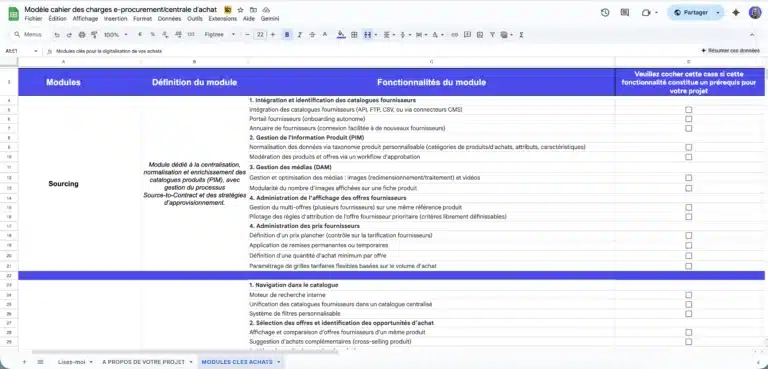
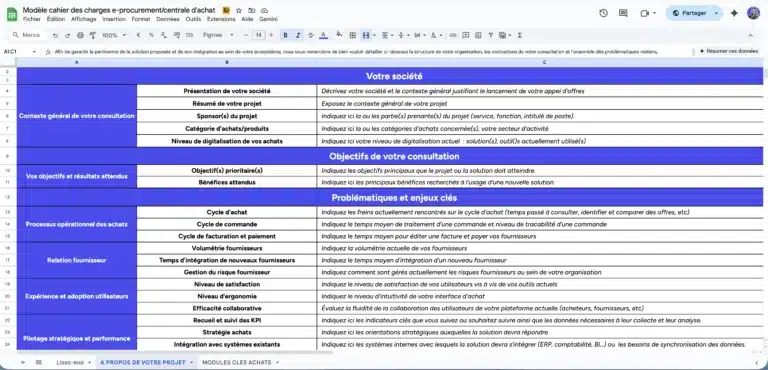
Ensure nothing is overlooked in your project specifications

A ready-to-use template to quickly frame your e-procurement or purchasing group project, compare market solutions, and secure your vendor consultation process.

Comprehensive model used in B2C, B2B or C2C projects and ready to adapt.

3. Intranet or network platform: a comparison

Both tools meet the same need, ordering, but with a different logic.

Traditional ordering intranetNetwork platform (marketplace)
CatalogUpdated by hand by the franchisorFed by each approved supplier
SellersThe franchisorThe franchisor and approved suppliers
PricesThe same for everyonePer franchisee or per group of franchisees
ApprovalBy emailConfigurable approval workflows
Payment and invoicingHandled separatelyAutomated supplier payments, invoices generated
DataPartialVolumes by franchisee, supplier and category

4. Key features

  • Catalog and prices by profile: each franchisee sees the products, prices and offers tied to their group or contracts.
  • Multi-supplier cart: franchisees order from several suppliers in one go.
  • Configurable approval: orders are approved according to your rules, without custom development.
  • Self-service supplier portal: each supplier manages its profile, catalogs, inventory and orders, connected by API, CSV file, FTP or connectors.
  • Automated supplier payments: invoices, purchase orders and credit notes generated automatically.
  • Reporting: volumes by franchisee, supplier and category.
  • Connection to your systems: ERP, CRM and point-of-sale software, through an API.

5. Example: Orpi Market, the purchasing platform for 1,350 branches

Orpi, France’s largest real estate network by number of branches, is organized as a cooperative: each branch is independent. The network deployed Orpi Market with Origami Marketplace to centralize purchasing for its 1,350 branches, including the marketing materials and promotional items used in its offices.

52 suppliers were onboarded in under 3 months, and the platform was deployed in 6 weeks. Read the Orpi case study.

Cart, spending approval and invoicing branch by branch: see multi-location purchasing with invoicing per branch.

6. Buying or selling: two different projects

The ordering platform organizes the network’s purchasing. A separate project is helping locations sell online without cannibalizing them: connected store inventory, click and collect, ship from store.

We cover it in our guide to digitizing franchisees without cannibalization and on our dealer network page.

7. Setting up the platform: the steps

  1. Map the network’s purchasing: product families, current suppliers, volumes, orders placed outside the tool.
  2. Define the rules: who orders what, at what price, with what approval.
  3. Approve and onboard suppliers.
  4. Connect existing systems: ERP, franchisee directory, accounting.
  5. Launch with a few pilot franchisees, then roll out to the network.

With Origami Marketplace, a marketplace is up and running in under 4 months; Orpi Market was deployed in 6 weeks. Discover our group purchasing platform.

8. Frequently asked questions

What is the difference between a franchise intranet and an ordering platform?

The intranet is used to share information and to order from the franchisor, from a static catalog. The ordering platform brings together the franchisor and approved suppliers, applies negotiated prices per franchisee, and automates approval, payment and invoicing.
Let's talk about your project.

Let’s discuss it. Our expertise extends beyond the tool as we help you structure your project with the right methodology to guarantee its success.

Deux membres de l'équipe Origami Marketplace échangent devant un écran