Connecting Odoo to a B2B marketplace: items, inventory and orders
Alexandre Duquenoy
Estimated reading time: 14 minutes
Short answer: Odoo remains the system of record for items and inventory, and the B2B marketplace connects to it through an API. With Origami Marketplace, Odoo items and inventory sync in real time with the marketplace, and the sync is two-way: catalog, inventory, orders, invoices. Suppliers who don’t use Odoo feed the marketplace in other ways (form, file, connector), without you having to equip them.
Odoo can sell online, but a B2B marketplace adds flows that an ERP handles poorly: third-party supplier catalogs, orders split between several sellers, commissions, payouts. Putting them in Odoo weighs down the item master and the accounting. The most common approach is to keep Odoo at the core (inventory, accounting): the marketplace handles the third-party catalog and the order, then sends the accounting entry to the ERP. See our ERP comparison.
2. What syncs between Odoo and the marketplace?
Data
System of record
Flow direction
Items (SKUs, descriptions, prices)
Odoo for your own products
Odoo to the marketplace
Inventory
Odoo
Odoo to the marketplace, in real time
Orders
Marketplace
Marketplace to Odoo
Invoices and accounting entries
Depends on your organization
Marketplace to Odoo
Third-party supplier catalogs
Marketplace (built-in PIM)
Stay in the marketplace
This table is a typical setup, to be adjusted during scoping. The key is to set a single system of record for each type of data, so that the same inventory is never changed in two places.
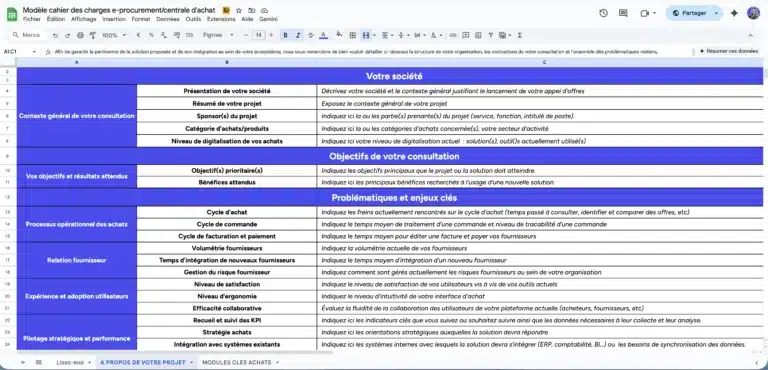
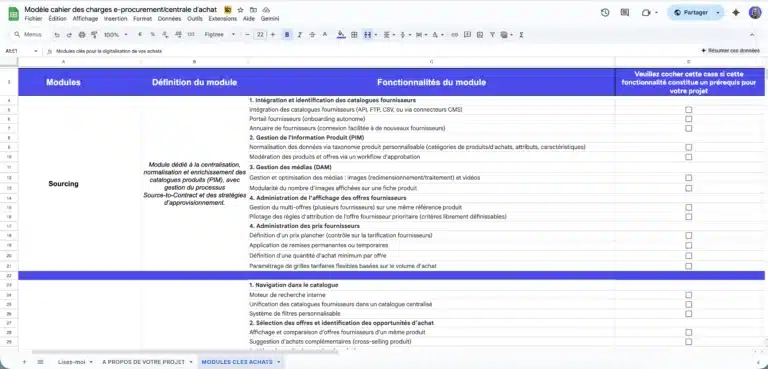
Ensure nothing is overlooked in your project specifications
A ready-to-use template to quickly frame your e-procurement or purchasing group project, compare market solutions, and secure your vendor consultation process.
Comprehensive model used in B2C, B2B or C2C projects and ready to adapt.
3. How is the connector set up?
Origami Marketplace does not ship an Odoo module to install: the platform connects to Odoo with a standard generic connector, plugged in on demand during the project. The same principle applies to Oracle or Sage, the other ERPs our customers use. For custom systems, webhooks complement the API. The details are on our API and headless architecture page.
Questions to ask any vendor before signing:
How often is inventory updated? At Origami Marketplace, in real time.
What happens if Odoo is unavailable when an order is placed?
Is the connector included in the setup or quoted as custom work?
Who maintains the connector when Odoo releases a new version?
4. What about suppliers who don't use Odoo?
On a B2B marketplace, your suppliers don’t all use the same system. Several ways of loading data coexist on Origami Marketplace:
manual entry through a form in the supplier space;
CSV or Excel imports, by hand or by FTP upload, with import templates by category;
the Origami Link connector for suppliers who already sell on Shopify, PrestaShop or Magento, without development;
Origami Marketplace has no app in the app stores: the supplier space is responsive and works on a smartphone (updating inventory, confirming an order), with push notifications through OneSignal. A native app makes sense when suppliers work offline or in the field; thanks to the headless architecture, it can then plug into the platform. See mobile app or responsive site.
6. Frequently asked questions
Do I need a specific Odoo module to sell on a B2B marketplace?
No. With Origami Marketplace, the connection goes through the API and a generic connector plugged in during the project, not through a module installed in Odoo.
Is inventory synced in real time?
Yes. With Origami Marketplace, inventory syncs between Odoo and the marketplace in real time.
Can we keep Odoo eCommerce alongside it?
Yes. The ERP remains the core, and the marketplace is added as a specialized layer connected through an API.
How long does it take to connect Odoo?
The connector is plugged in during the setup project, and an Origami marketplace is up and running in under 4 months.
Let's talk about your project.
Let’s discuss it. Our expertise extends beyond the tool as we help you structure your project with the right methodology to guarantee its success.